SimplerCAD
Create 3D models on your iPhone or Android device. Start with shapes, adjust dimensions and export STL, OBJ or GLB files for your next design project.
See SimplerCAD in action.
Screens from the Android app. The iPhone interface may differ.
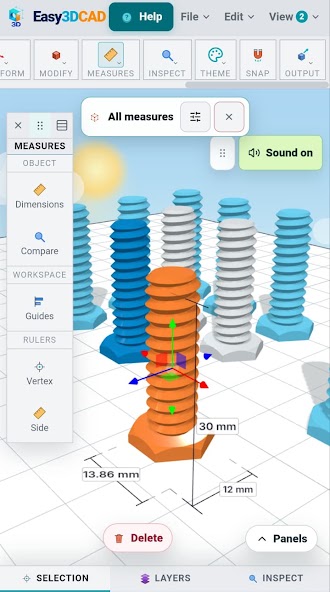
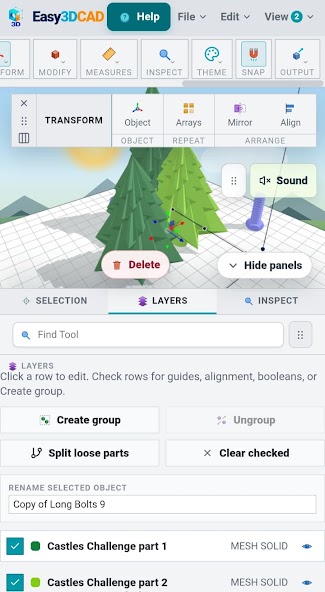
Model from a mobile workspace.
SimplerCAD is a mobile 3D modeling app for makers, hobbyists and people learning CAD. Create a shape, refine its size and position, then save or export the result. The iPhone version saves editable projects locally and does not require an account.
App details and support
- Developer
- DigitalAppIta
- Category
- Art & Design
- Platform
- Android and iPhone (iOS)
- Store listing
- SimplerCAD on Google Play
- Product website
- SimplerCAD.com
- Android privacy
- Read the SimplerCAD privacy policy
- Support
- Email app support
- Download price
- Free to download. See the store listing for current ads, purchases and device availability.
- iPhone download
- SimplerCAD on the App Store
- iPhone privacy
- Read the iPhone privacy policy
- iPhone support
- iPhone support and contact information
How to get started
Start with a simple shape
Open the workspace and use the sample cube or add a shape. Move, rotate and resize objects to begin your model.
Refine your design
Set dimensions and use grid, snap and modeling tools to adjust your objects. Open Help for guides to the workspace and its tools.
Save and export
Save an editable project to continue later. Export STL, OBJ or GLB when you need a model for a compatible 3D workflow; the iPhone app uses the system share sheet.
Frequently asked questions
Is SimplerCAD available for iPhone and Android?
Yes. Download the iPhone version from the Apple App Store or the Android version from Google Play. Check the listing for your device requirements. Features and interface details can differ between platforms.
Can I export an STL file for 3D printing?
Yes. SimplerCAD exports STL, OBJ and GLB models. For a 3D printing workflow, open the exported STL in a compatible slicer and check scale, geometry and print settings before printing.
Do I need an account on iPhone?
The current iPhone version does not require an account or login. It saves projects locally. Use the File menu to save an editable project or reopen one.
What is the difference between a saved project and an STL?
An editable SimplerCAD project is for continuing work in the app. STL is a mesh exchange format. On iPhone, use Open project for .simplercad project files and Import for an STL mesh.